NATIVE BITMAP OPERATIONS (TEST)
Execute verified bitmap stores on the host while retaining their original machine cycles. Falls back near interrupts or when tracing.
 SEMATOR
Explore the original dungeon with optional native party controls and companion information.
Mouse controls the pointer and on-screen commands. Left and right mouse buttons are available on the pad. Follow the game's prompts for text and disk requests.
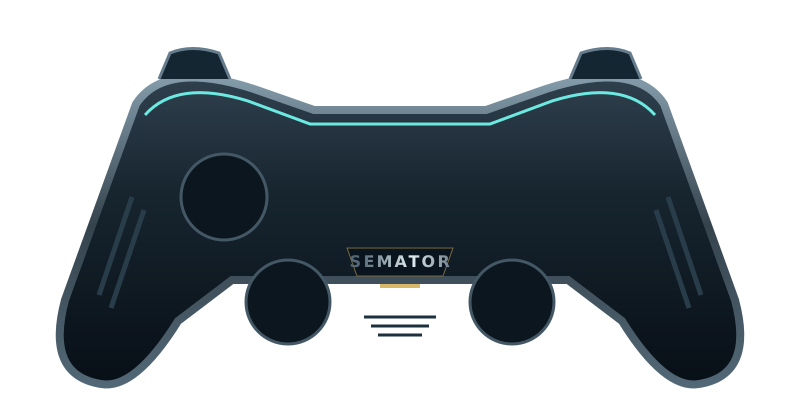
Select a button to see its action.
Original SemaTor controller illustration. Face buttons 1–4 correspond to south, east, west and north. A/B/X/Y in the table are SDL layout names; your pad’s printed labels may differ.
| Control | Action |
|---|---|
| Move mouse pointer | |
| Move mouse pointer | |
| Select / left click | |
| Right click | |
| Unassigned | |
| Unassigned | |
| Right click | |
| Select / left click | |
| Hold for precise pointer | |
| Unassigned | |
| Session menu (F11) | |
| SemaTor settings (F12) | |
| Unassigned axis / click | |
| Left stick click / Guide / extra buttons | Unassigned by default. Device or system Guide behaviour can vary. |
Mouse: move the pointer; left click selects; right click is available where the game uses it.
These are release defaults, not your saved remaps. Open F11 → Controls for this game for live mappings, or F12 → Controls to change them. Start and Back remain reserved for SemaTor menus. Mouse speed is adjustable. One active host gamepad is supported; two-player modes do not imply two simultaneous gamepads.
These are the exact identities used by the enhanced profiles in SemaTor 1.1.320. A recognised profile is not a promise that every level, option or graphics device has been tested.
Tested in 1.1.320: 46 scheduled interface interactions, enhanced portraits/items, mirror portraits, formation controls, tiled background and torch fixtures. This does not certify a complete dungeon playthrough.
Dungeon Master v1.1 (1987)(FTL)[f hard disk version].st · 819200 bytes
Disk-image SHA-256: 5f3d83acaffcc2b579057eeec1d924c140f0afc7802554e9f76dfe3b1f753899
Compare the extracted .st or .stx file, not its ZIP. Windows PowerShell: Get-FileHash -Algorithm SHA256 "your-disk.stx". Linux: sha256sum "your-disk.stx". A different disk hash may still contain a supported program; use the profile identities below.
| Edition / program | Identity | Bytes |
|---|---|---|
| Dungeon Master (1987, FTL, English, v1.1 HD) DM_LOAD.PRG | raw program-text SHA-1f36fdca30773838bafb1d995a7471533c4111efc | 4506 |
Program SHA-1 covers the raw executable text before relocation, excluding its file header. Boot SHA-1 covers the decoded 512-byte boot sector. Neither is the checksum of the whole PRG, STX or ZIP. SemaTor’s library problem-report draft includes the executable SHA-1 and whether it is exactly recognised.
Download the edition/checksum list. If your edition is different, report its identity before assuming its enhanced profile is compatible.
The supported profile identifies DM_LOAD.PRG and validates the running engine before applying hooks. Other editions and fan campaigns are not automatically certified. Replacement dungeon textures are disabled.
Execute verified bitmap stores on the host while retaining their original machine cycles. Falls back near interrupts or when tracing.
Accelerate verified pixel drawing only. Original world wait, AI and audio routines keep their normal clocks. Combat validation is ongoing.
Accelerate verified compressed-bit extraction. File reads and hardware timing are unchanged.
Reconstruct each completed three-channel DAC sample before host resampling. Keeps original playback timing and loud/soft levels; effects volume controls the result.
Apply a combined move-and-press at its destination instead of the previous pointer position. Original hold actions, releases and dungeon hit tests remain in charge.
Present the game's own arrow, hand and held-item cursor at host refresh rate. Preserves guest hit tests and hold actions. Experimental desktop option; disable to compare the original cursor.
Live party bars, champion condition, a session-only visited trail and audio controls beside the game. No hidden map cells are revealed.
Up to twelve original sample voices with directional stereo. Keeps the game distance gates and scheduled requests; effects volume applies. Overrides reconstructed audio while enabled.
High-resolution party portraits, spells, combat, inventory and movement around the original dungeon view. Experimental desktop option. Disable to restore the original interface. Dungeon texture replacement is disabled.
Hold clicks for eye and mouth actions. To compare the original interface, disable Native Party Interface under F12 → Enhancements. Include the exact disk edition, renderer and enabled options in reports.