REDUCE DRAWING SLOWDOWN
2x verified sprite, scenery and text pixel loops; reduces drawing stalls; original game clock, sound service and disk streaming
 SEMATOR
Helicopter and jeep co-op with streamed scenery and independently scheduled objects.
Joystick moves / fires; Space clears the intro gate. Space jumps only with the Jump Button enhancement. One active host pad; player 2 uses the game's own inputs.
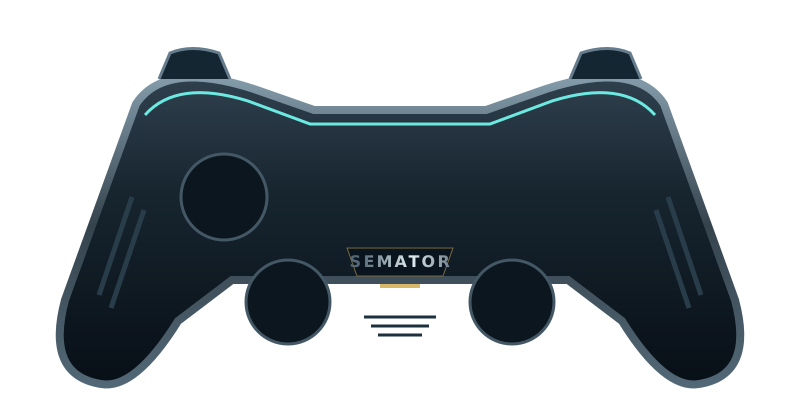
Select a button to see its action.
Original SemaTor controller illustration. Face buttons 1–4 correspond to south, east, west and north. A/B/X/Y in the table are SDL layout names; your pad’s printed labels may differ.
| Control | Action |
|---|---|
| Move (joystick) | |
| Move (joystick) | |
| Fire | |
| Fire | |
| Space / optional Jeep jump | |
| Space / optional Jeep jump | |
| Unassigned | |
| Fire | |
| Unassigned | |
| Unassigned | |
| Session menu (F11) | |
| SemaTor settings (F12) | |
| Unassigned axis / click | |
| Left stick click / Guide / extra buttons | Unassigned by default. Device or system Guide behaviour can vary. |
Default keyboard joystick mapping: arrow keys move, Left Ctrl fires and Space sends the original Space key. Original game keys remain available.
These are release defaults, not your saved remaps. Open F11 → Controls for this game for live mappings, or F12 → Controls to change them. Start and Back remain reserved for SemaTor menus. Mouse speed is adjustable. One active host gamepad is supported; two-player modes do not imply two simultaneous gamepads.
These are the exact identities used by the enhanced profiles in SemaTor 1.1.320. A recognised profile is not a promise that every level, option or graphics device has been tested.
Existing exact enhanced-profile identities. These editions are recognised by the release; no new complete-game test was performed in 1.1.320. Options marked TEST retain their individual limitations.
A full disk-image checksum has not yet been recorded for these editions. Use the exact program/boot identities below; the filename alone is insufficient.
| Edition / program | Identity | Bytes |
|---|---|---|
| SWIV (1991, Storm) BOOT | boot-sector SHA-1b510afd483d9e4cb28d2d4f3b7d1f15c8e8f239d | 512 |
Program SHA-1 covers the raw executable text before relocation, excluding its file header. Boot SHA-1 covers the decoded 512-byte boot sector. Neither is the checksum of the whole PRG, STX or ZIP. SemaTor’s library problem-report draft includes the executable SHA-1 and whether it is exactly recognised.
Download the edition/checksum list. If your edition is different, report its identity before assuming its enhanced profile is compatible.
Names match the release profiles, including experimental and practice options. Availability depends on the recognised disk edition. A matching filename alone does not verify an edition; untested releases may behave differently.
2x verified sprite, scenery and text pixel loops; reduces drawing stalls; original game clock, sound service and disk streaming
Retain earned shot count and fire rate when respawning; does not grant upgrades
Preserve both players' life counters when starting their next life
Continue past this release's Space-key intro gate automatically on the next boot
Double the initial protection after spawning for both vehicles; collected shields and damage rules stay unchanged
Keep the helicopter and jeep visible during protection; removes their on/off flashing without changing shield duration
Space (pad X/Y by default) also jumps when using joystick controls; one jump per press; rebind Jump under Controls
Stop direction double-taps causing jeep jumps; enable Jump Button for a separate Space/pad jump; keyboard native jump keys still work
Original / Upgraded (4 shots, rate 10) / Maximum (6 shots, rate 8); minimum equipment for the next spawn, never removes stronger equipment
Six shots and maximum native firing rate on the next spawn; selected through Spawn Firepower
Matching-colour shot pickups gain two levels up to the native limit; a fire-rate pickup reaches the native fastest rate
Bright rim around identified standard enemy bullets, with a dark outer edge; original bullet pixels and hitboxes stay unchanged; excludes unmapped special attacks
Save a complete machine checkpoint after spawning; retry through F11 > Saves & rewind > Retry practice checkpoint; manual checkpoints are also available
50 Hz native movement/drawing target with original 25 Hz decisions and animation; faster verified graphics/asset work; hardware, scrolling and disk clocks retained
Android and dual-screen controls remain in testing. Touch layouts can differ from desktop gamepad defaults. Mega lo Mania’s Thor panel and direct-touch input need device validation; this guide does not certify every touch layout.