STOP DRIFT ON RELEASE
Stops sideways coasting; keeps original acceleration and top speed
 SEMATORPLAY. REVISIT. ENHANCE.
The sequel, with Bomb the Bass on the soundtrack. Forward and reverse scrolling, and a shop between waves.
Joystick moves the ship; fire shoots. Fire and Space are available for game prompts. Shop and name-entry keys remain available to bind.
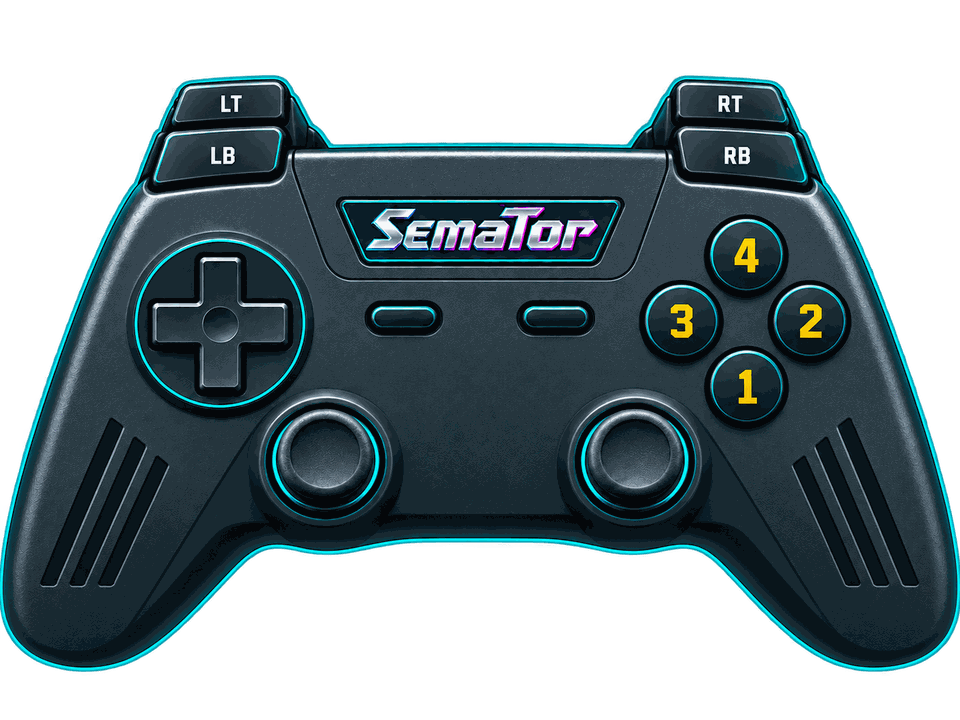
Select a button to see its action.
Hover or tap a control to see what it does in this game. Face buttons 1–4 are south, east, west and north - A, B, X and Y on most pads, whatever your pad prints on them.
| Control | Action |
|---|---|
| Move (joystick) | |
| Move (joystick) | |
| Fire | |
| Fire | |
| Space key — game prompts | |
| Space key — game prompts | |
| Unassigned | |
| Fire | |
| Unassigned | |
| Unassigned | |
| Session menu (F11) | |
| SemaTor settings (F12) | |
| Unassigned axis / click | |
| Left stick click / Guide / extra buttons | Unassigned by default. Device or system Guide behaviour can vary. |
Default keyboard joystick mapping: arrow keys move, Left Ctrl fires and Space sends the original Space key. Original game keys remain available.
These are release defaults, not your saved remaps. Open F11 → Controls for the live mappings and to change them. Start and Back remain reserved for SemaTor menus. Mouse speed is adjustable. One active host gamepad is supported; two-player modes do not imply two simultaneous gamepads.
Names match the release profiles, including experimental and practice options. Switch them on under F12 → Enhancements while the game runs; experimental ones are marked.
Stops sideways coasting; keeps original acceleration and top speed
Prevents energy loss from hits; not a level-skip or collision remover
Death and respawn still happen, but do not consume a life
Separate synths; no stolen voices or shared-channel music attenuation
Object motion for Compute HQ / Optical Flow / CPU Motion framegen
Experimental: 2x sprite drawing clock; keeps normal gameplay wait
Android and dual-screen controls remain in testing. Touch layouts can differ from desktop gamepad defaults. Mega lo Mania’s Thor panel and direct-touch input need device validation; this guide does not certify every touch layout.