Windows & Linux · Mouse and keyboard · Violet & GEM themes
New in 1.1.589: jump between placed objects, navigate code by line and match, and keep sample loops intact across edits.
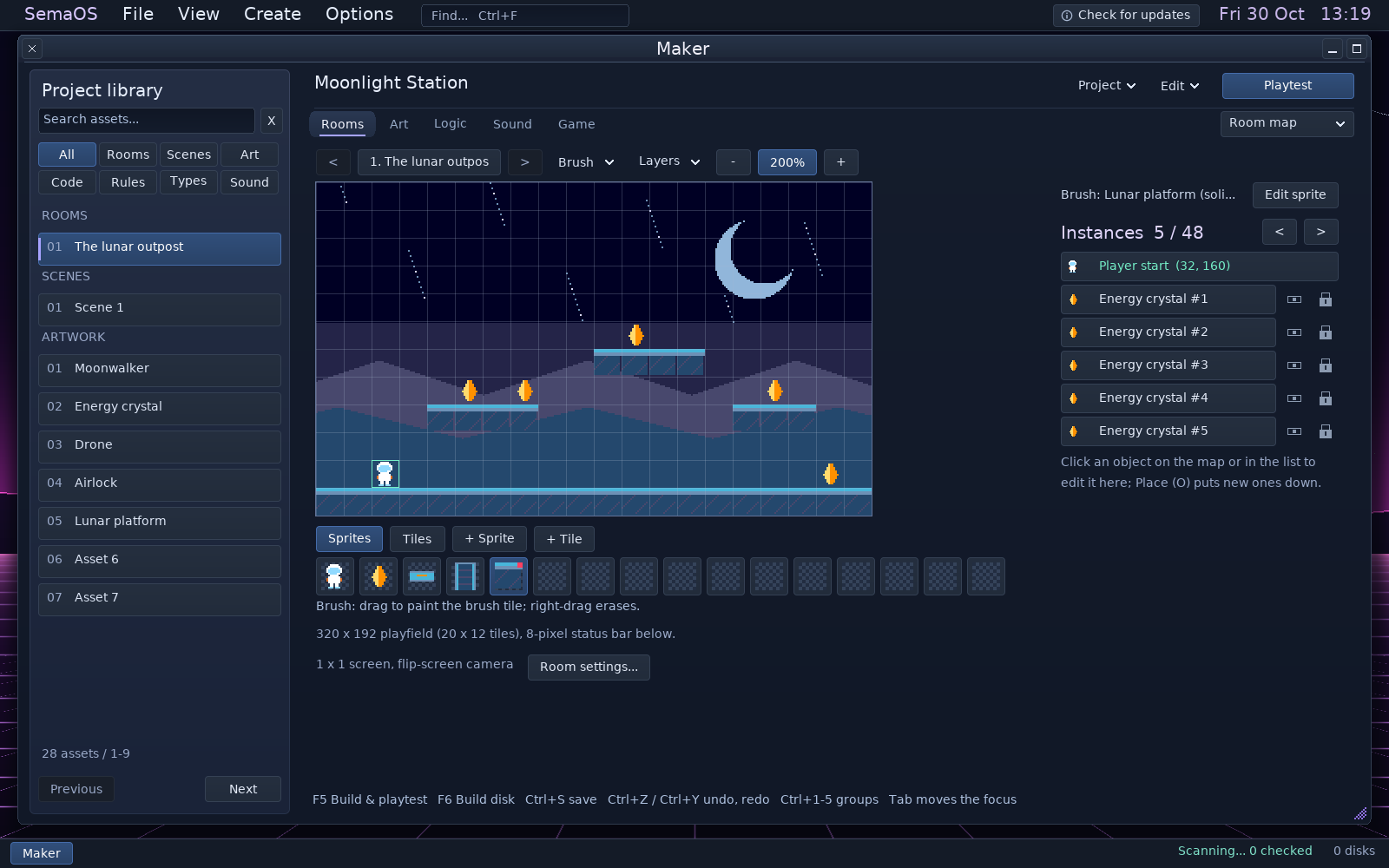
THE WORKSPACE / MAKERSemaTor 1.1.589 · Violet theme. Moonlight Station is original demonstration content built with the platform starter. Open any screenshot to inspect the complete image.
START VISUALLY / KEEP GOING
Your project. Everything in reach.
Rooms, artwork, types, rules, code and sounds share one searchable library. Focus on the canvas, then open the part you need to change.
01 / BUILD THE WORLD
Rooms that grow.
Paint tiles, place objects and draw movement paths. Follow the player through rooms up to sixteen screens, with zoom, panning and a minimap.
02 / GIVE IT BEHAVIOUR
One type. Many instances.
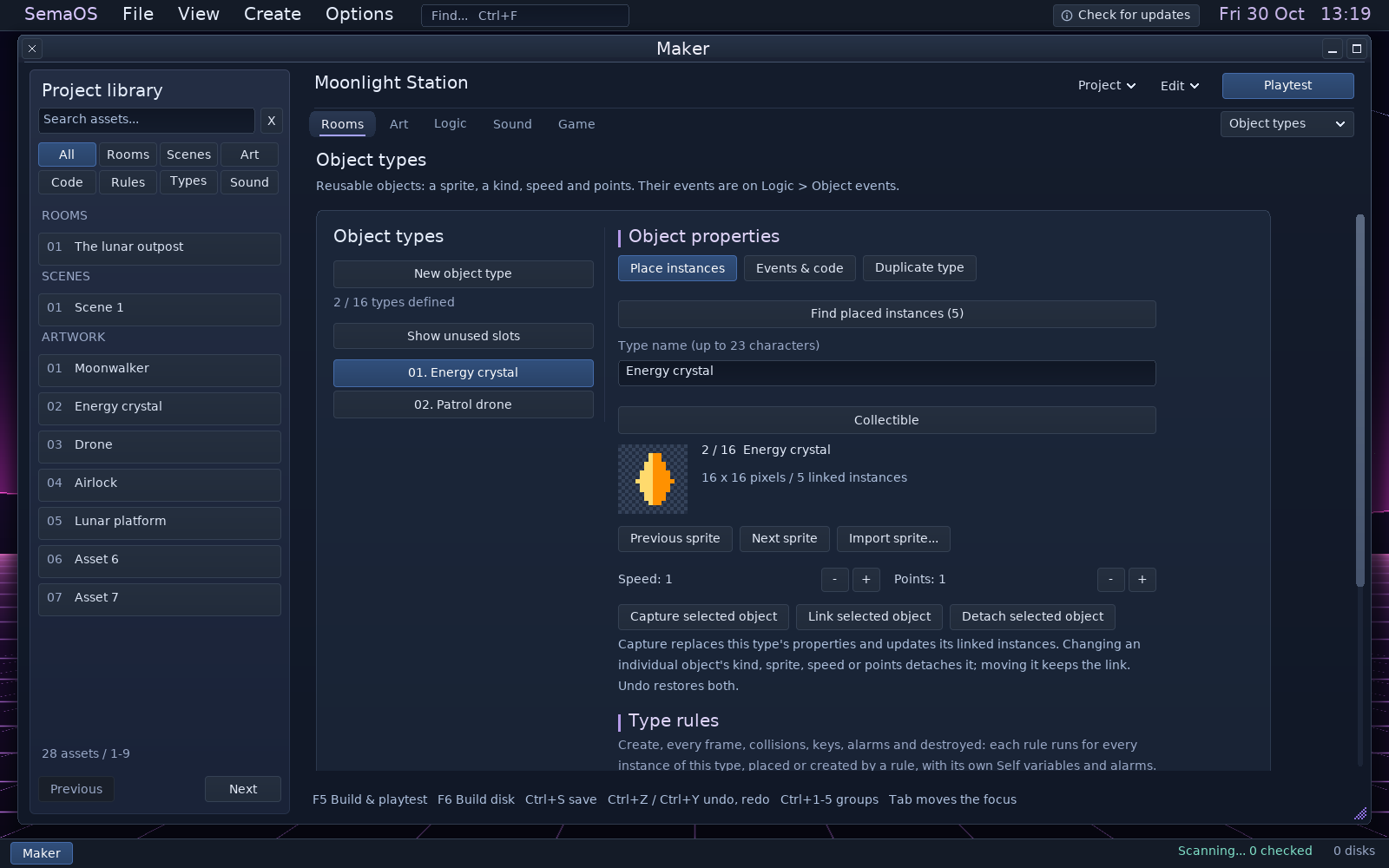
Give an object type rules and event code, then reuse it across your game. Duplicate a type with its own rules and routines when you want a variation. Turn an independent placed object into a reusable type, or find every placement of an existing type.
03 / TRY IT NOW
Build. Play. Adjust.
F5 builds the native program and opens Playtest. Pause, inspect values and step through code, then return to the same editable project.
Rooms → Object types. New object type, Duplicate type and Find placed instances are separate controls; the selected type shows its sprite and linked instance count.
FIND THE OBJECT / KEEP YOUR PLACE
Every instance. One way back.
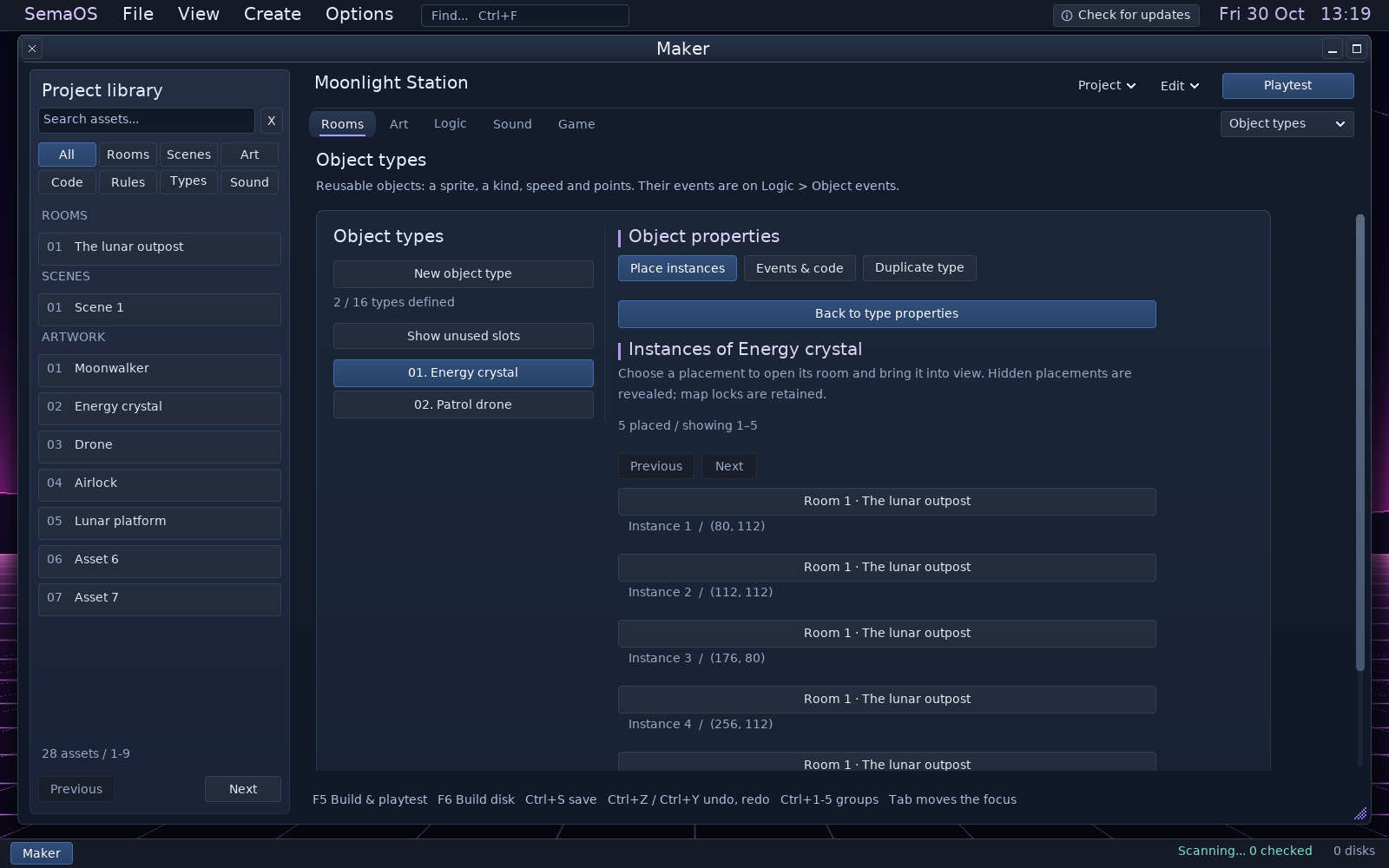
Find placed instances lists the selected type’s placements by room and position. Choose a row to open the room and centre that exact object.
Hidden objects become visible when you jump to them. Existing locks remain in place, and navigation does not change the project.
1.1.589 · The five crystals in this demo are linked to the same Energy crystal type.
FIVE PLAYABLE STARTERS
Learn by changing something.
Top-down · Platform · Arcade · Puzzle · Two-player Replace the art, move a switch or change a rule. The examples use the same tools as your own project.
SEMAPAINT / EVERY PIXEL COUNTS
Small canvas. Precise control.
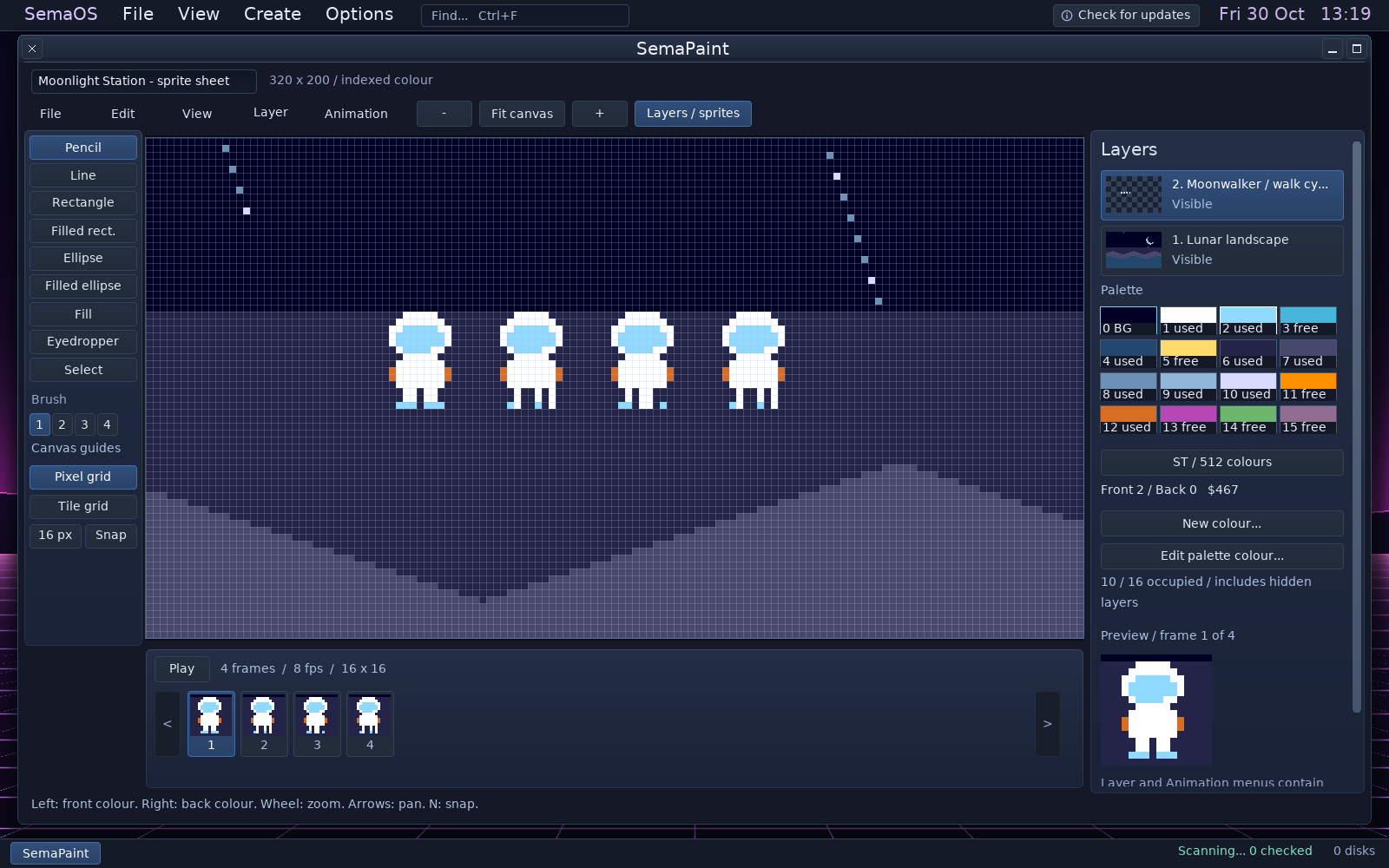
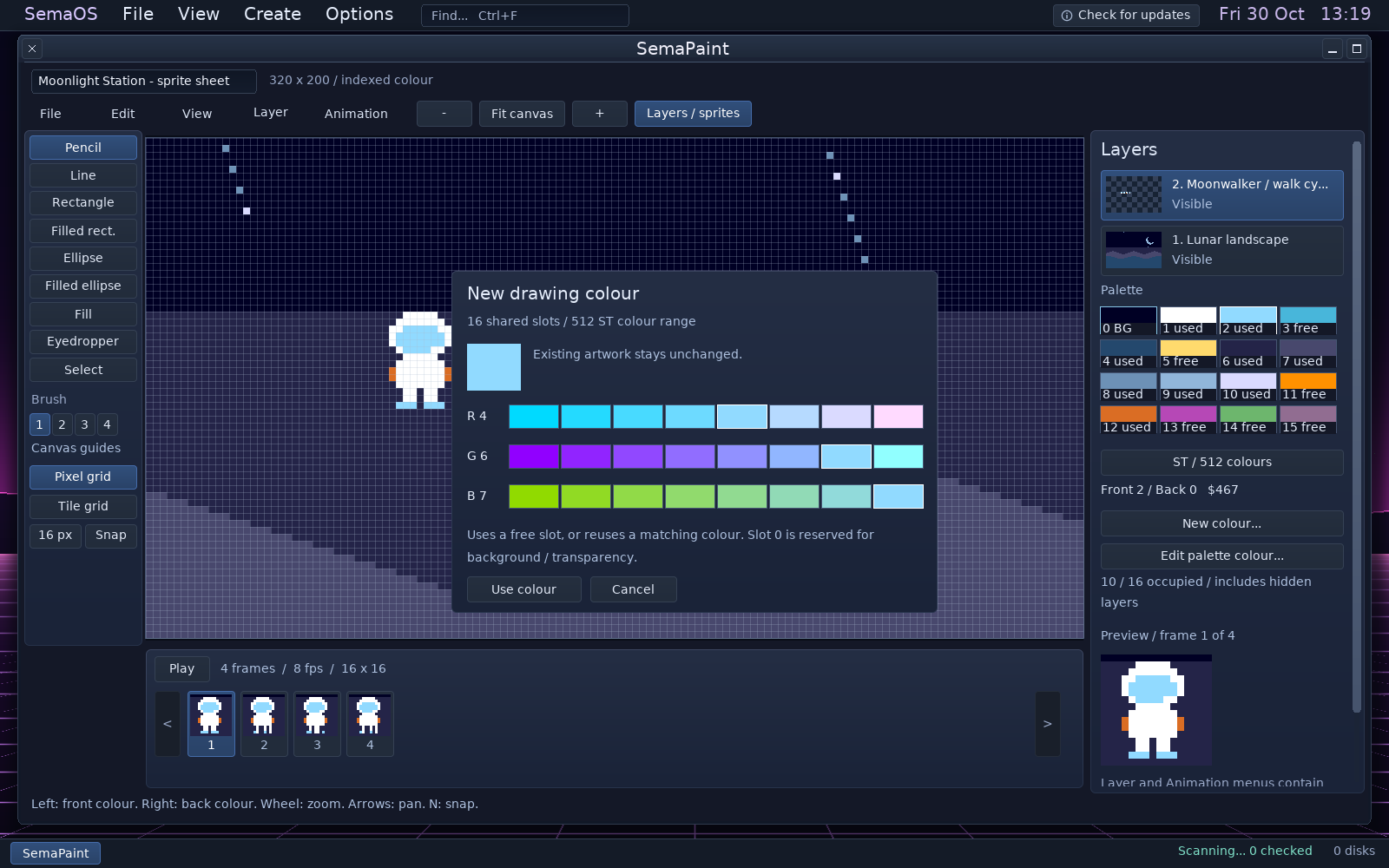
A 320 × 200 indexed canvas, layers beside your artwork and animation frames below it. Zoom in to see the individual ST pixels, with a pixel grid and a separate tile grid.
Original indexed artwork in SemaPaint 1.1.589. The animation cell size stays independent of the pixel grid. The layer list and frame strip remain beside the working canvas.
COLOUR, WITHOUT SURPRISES
Add a colour. Keep what you painted.
New colour uses a free palette slot, or selects an exact match already in the palette. Edit palette colour deliberately changes every pixel using that slot. Both show a preview before you confirm. Use colour replacement when you want to replace an index within your selection, active layer or whole picture.
Used slots include hidden layers and animation frames. If all sixteen slots are occupied, the editor tells you; it does not quietly recolour another part of your picture.
512 ST colours4,096 STE colours16 slots per picture
The ST and STE colour ranges are available through their hardware channel steps.
VISUAL RULES → SEMABASIC → 68000
Simple to begin. Space to go deep.
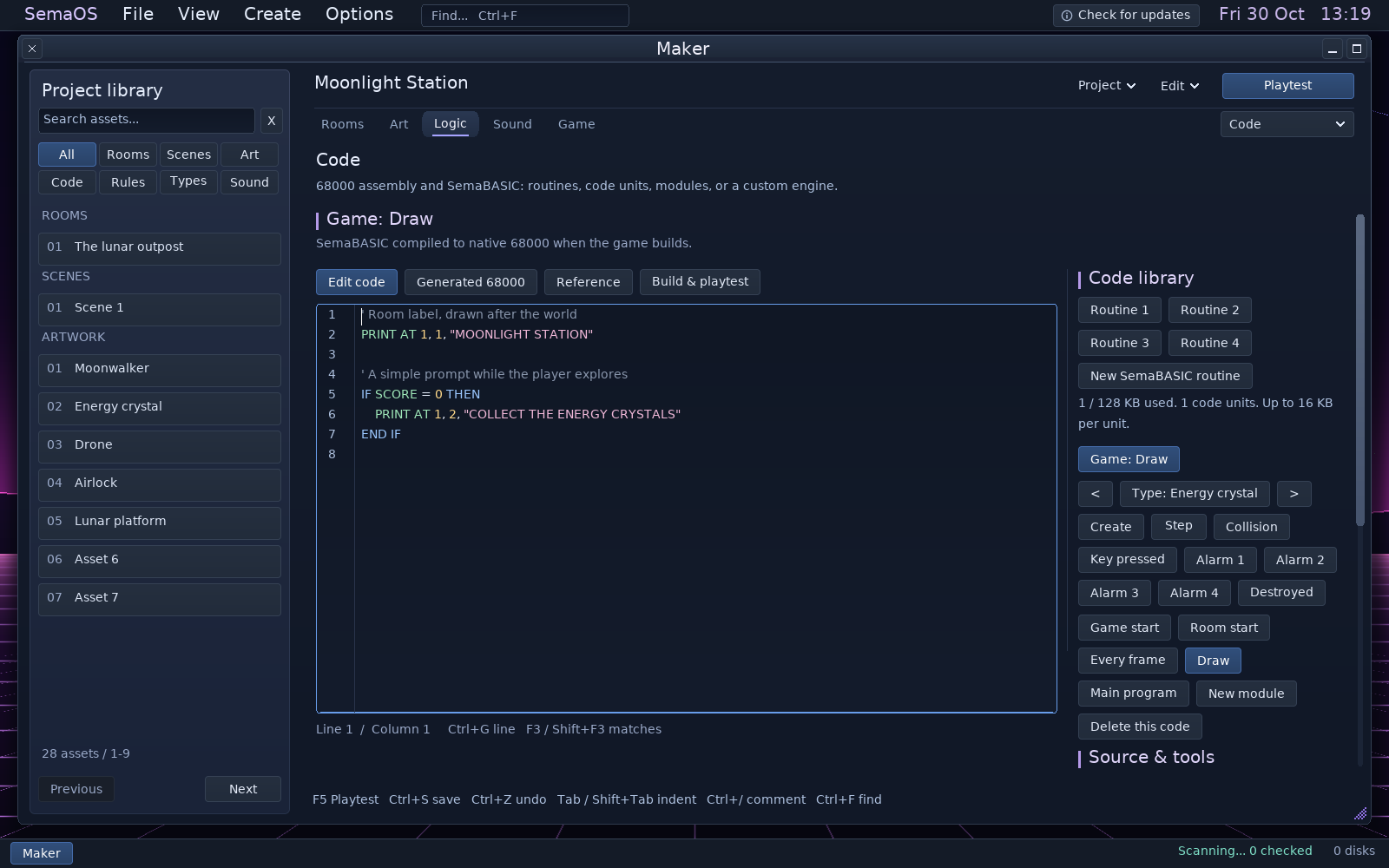
Add a few lines to an event, build shared modules or take control with a custom engine. SemaBASIC compiles to editable 68000 source; the machine’s memory and time remain the real limits.
The Code workspace in 1.1.589. The status line shows the cursor position and navigation shortcuts: Ctrl+G for a line, F3 / Shift+F3 for matches. The code library stays beside the editor.
Build on the game.
Attach SemaBASIC to Create, Step, Collision, keys, alarms or game events. Use procedures, arrays, strings, files, drawing commands and shared modules. Terrain queries work in room coordinates, including scrolling worlds.
Get closer to the machine.
Edit assembly routines or open generated source in Program Lab. Use the assembler and debugger to inspect your work. A custom engine is an explicit project choice, with its source used for builds.
Know the budget.
Up to 48 code units, 16 KB per unit and 128 KB of unit code in total. Maker checks the compiled program and target memory separately, including resources and supported packed loading.
ROOM AUDIO / SAMPLE EDITOR
A sound for every place.
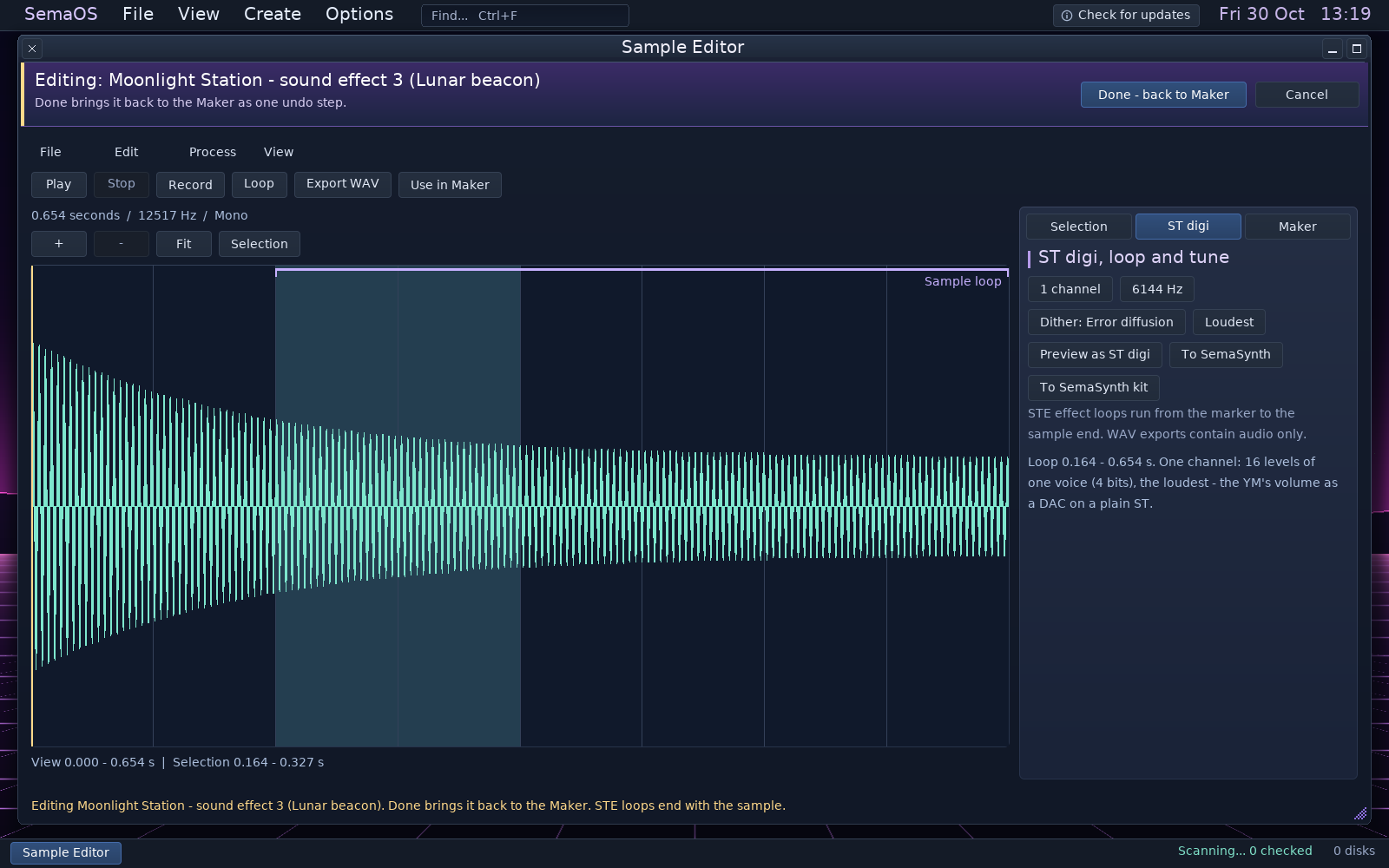
Choose what a room plays, then open a sound in the Sample Editor for detailed work. Linked editing keeps the effect’s loop information with its audio.
1.1.589 · Original Lunar beacon demo sound. The linked editor shows the waveform and loop boundaries; Done brings edits back to Maker. STE loops end at the sample end.
Select precisely.
Left and Right move one sample frame. Hold Shift to extend a selection, or Ctrl for steps of about 10 ms. Home and End reach the bounds; Ctrl+L selects the loop.
Keep the loop.
Loop positions follow cuts and rate changes. Undo restores the audio and markers together. Linked MOD instrument and STE effect edits return their loop information; WAV exports contain audio only.
Choose room sounds.
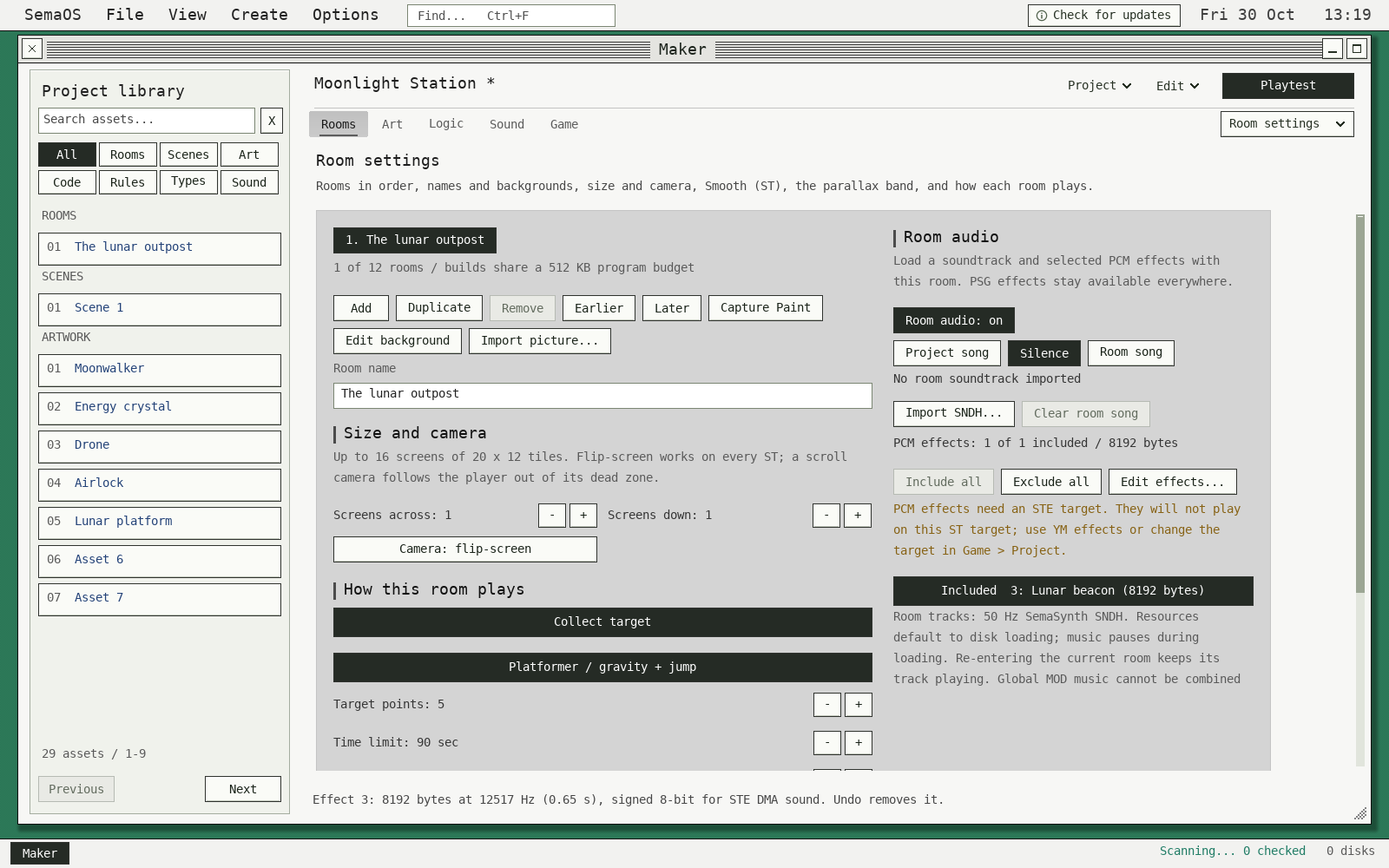
Use the project song, silence or a supported room song. Include all, none or selected effects from the project’s existing PCM bank. Room choices do not create a separate sample bank.
1.1.589 · Room settings in GEM, with Include all and Exclude all. This ST-target example displays the warning that PCM effects require an STE target.
THE REST OF YOUR STUDIO
A connected creative desktop.
Keep each task focused. Project links let you edit artwork and sound in their dedicated tools and bring changes back deliberately.
SemaSynth
Compose patterns and arrange songs. Shape YM instruments, edit waveforms and macros, work with digi and Quartet samples, or add supported STE stereo sample tracks.
MIDI workflows, sub-songs, groove, transpose, SNDH and audio export, plus supported YM/VTX and MOD workflows.
Sample Editor
Zoom into a waveform, select a range, trim, normalise and audition. Edit a MOD instrument or STE effect and return it with its loop intact. Loop markers follow cuts, resampling and Undo; keyboard controls select exact sample frames. WAV exports contain audio only.
Done returns the edited sound to Maker; Cancel leaves the original sound intact. Undo restores audio and loop markers together.
Program Lab
Write and assemble 68000 source, navigate code and inspect execution. Build errors link back to the relevant source, rule or routine. Ctrl+L opens Go to Line in Program Lab; Ctrl+G keeps its Find Next action.
Playtest supports breakpoints, stepping and named values, including SemaBASIC source-line debugging.
Capture Gallery
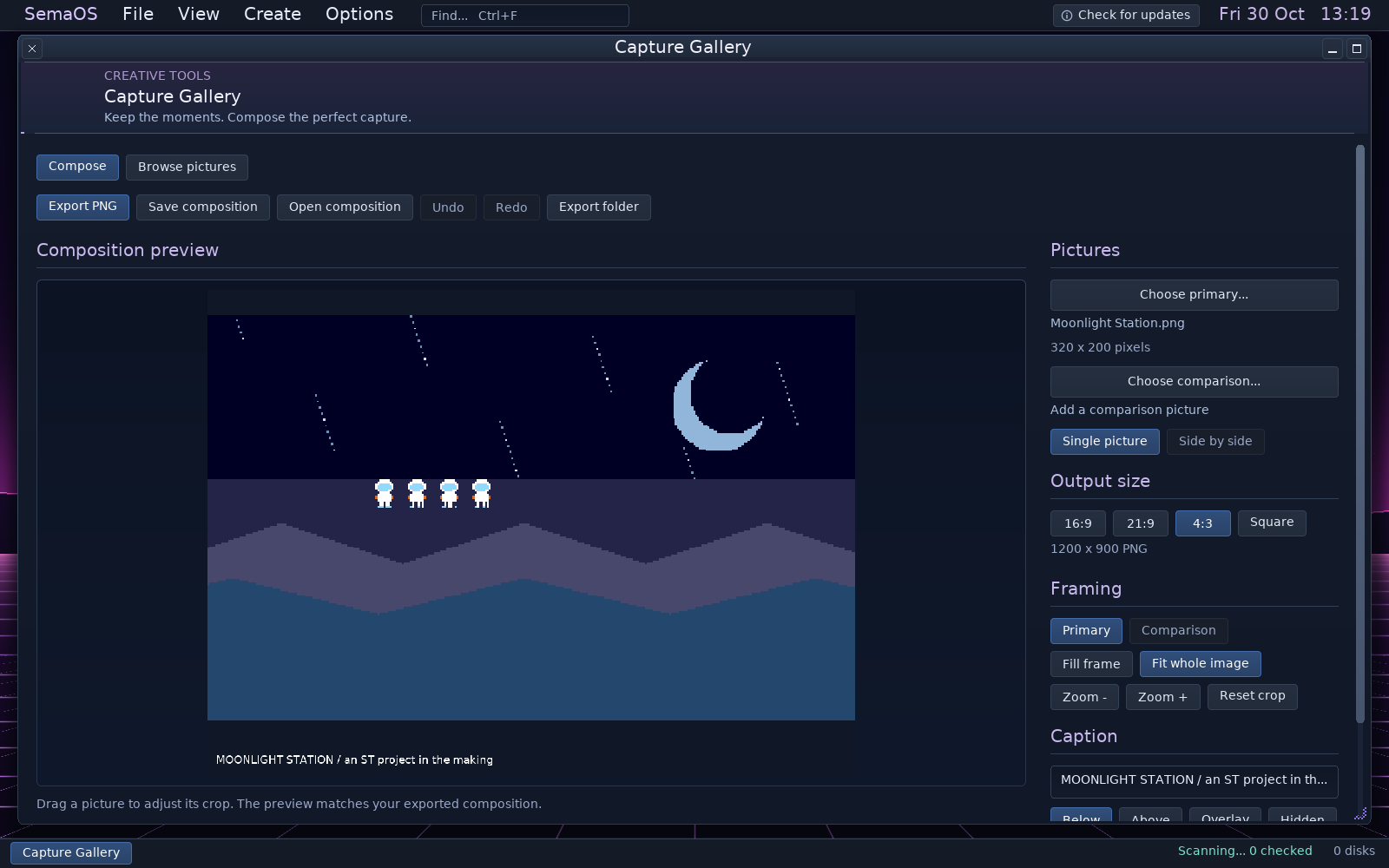
Compose a picture or a side-by-side comparison. Set the output shape, adjust the crop, add a caption and export PNG.
A large preview and focused inspector show what will be exported. Save an editable composition to revisit it later.
Capture Gallery in 1.1.589, using the same original demonstration artwork. Source pictures stay unchanged.
Also on the desktop: Disk Workshop for disk preparation, Explorer for files, Documents and Notes, Code Reader, and Help with searchable SemaBASIC and SemaSynth references.
REAL OUTPUT / REAL LIMITS
Build for the machine you choose.
Your project becomes a native ST program on a floppy image. Choose the target before adding features that depend on the STE or more memory.
520 ST / 512 KB
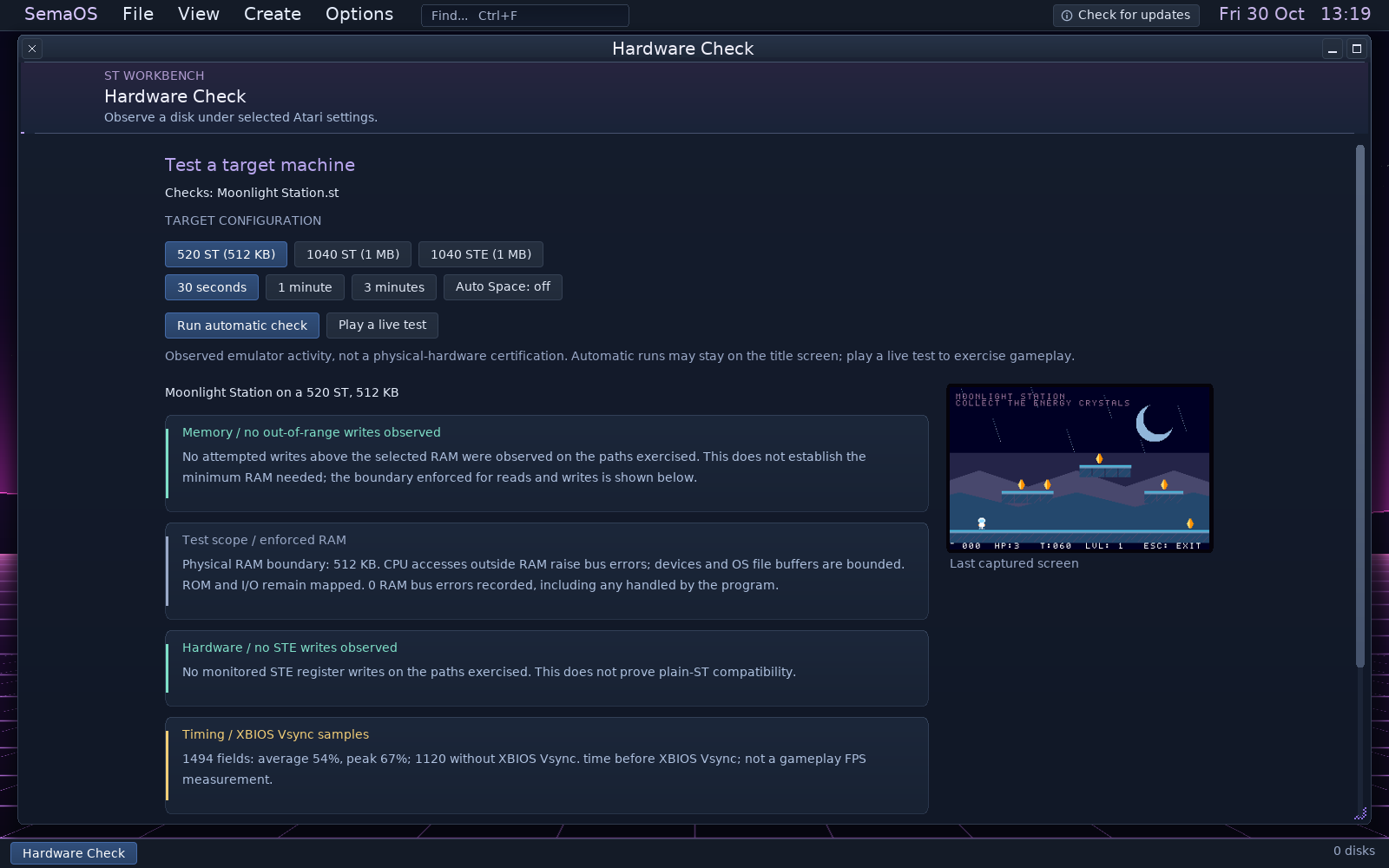
Native graphics, game rules, code and supported YM sound. Hardware Check enforces the selected RAM boundary during execution; it does not just watch a larger-memory run.
1040 ST & STE / 1 MB
Choose more RAM or STE hardware. STE palettes, DMA samples and supported four-channel MOD playback expand your options, while audio and game code still share the frame budget.
Running in SemaTor
Exports can include a matching enhancement profile for Smooth Motion and expanded views. These presentation features are supplied by SemaTor when it runs your game.
Actual generated demo disk, checked in emulation. The report distinguishes enforced memory, observed hardware use and sampled XBIOS Vsync timing.
An automatic check covers the paths it executes. Play a live test to exercise gameplay. These are emulator checks, not physical ST/STE certification; demanding effects and audio can exceed an original machine’s frame budget.
BEFORE YOU START
Practical details.
Do I need to write code?
No code is needed to begin with the editable starters and visual rules. Add SemaBASIC when you need more control, or work directly in assembly. The suite does not promise every game mechanic as a ready-made visual action.
How much artwork can a Maker project hold?
Up to 64 sprite assets and 128 tiles. Sprites can be up to 32 × 32 pixels with four animation frames. A room supports up to 48 placed objects and a project up to 64 visual rules. Resource and target-memory limits still apply.
Does an STE picture have 4,096 colours at once?
The standard indexed canvas has sixteen palette slots. On ST, each slot can use one of 512 colours; on STE, one of 4,096. Changing a used slot changes pixels that reference it. New colour is the safe way to add a different colour while a free slot remains.
Can I import my pictures and music?
Supported picture imports include Degas, NEOchrome, Spectrum 512, PNG, BMP, GIF and SemaPaint artwork, with target-palette conversion where needed. Music workflows include SemaSynth songs and supported MOD/SNDH imports. Conversions report features they cannot preserve.
Can rooms have their own music?
Choose the project song, silence or an imported 50 Hz SemaSynth SNDH up to 128 KB. Select which effects from the existing sixteen-effect / 128 KB PCM bank load with the room. Per-room audio currently cannot be combined with global MOD music.
What happens when the game gets bigger?
Maker supports packed programs, packed or disk-loaded room and scene resources, 360 KB or 720 KB disks and projects spanning up to nine disks. Build checks account for supported loading and unpacking as well as the running program.
Are the examples finished games?
They are editable starting points. The two-player starter now checks internal walls for both players. Test your own rules, artwork, controls and target before sharing a finished game.
Which build includes the tools?
The public Windows x64, Linux x86-64 and Linux ARM64 desktop builds include the suite inside SemaOS. Open the Create menu to begin. Android remains a separate private testing build; this page focuses on desktop authoring.
Make your first room.
Start with something playable. Keep making it yours.
Read the complete 1.1.589 changelog. All screenshots on this page were captured from the 1.1.589 application UI with original demonstration content. Images show the complete captured desktop and open at full resolution; Violet is shown throughout, with GEM in Room settings.
 SEMATOR